

AC Not Cooling? Common Causes and Smart Fixes That Save You Money
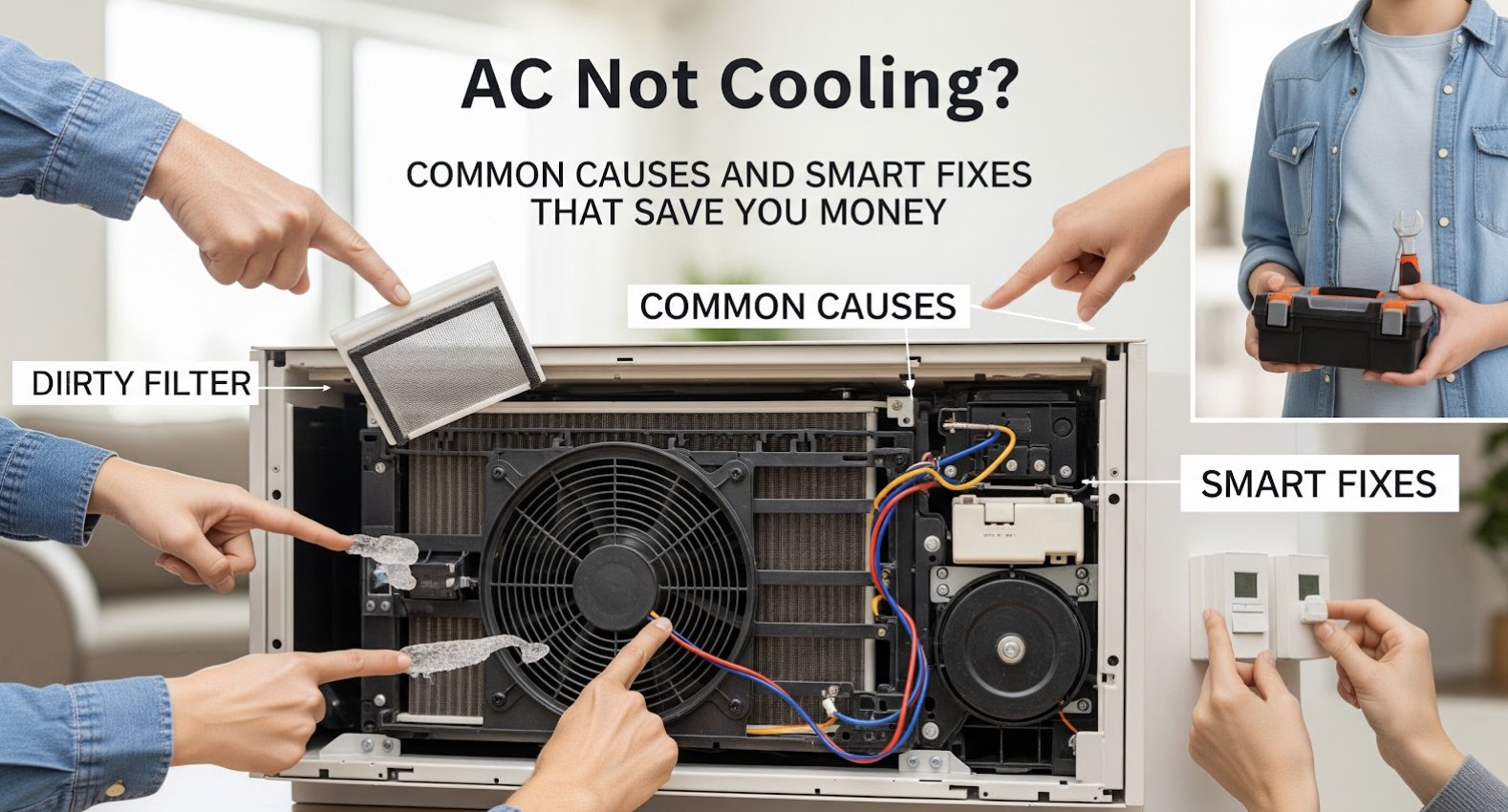
Is your air conditioner struggling, blowing warm air instead of a refreshing breeze, turning your home into an unwelcome sauna? Did you know that a significant percentage of AC service calls are for issues easily preventable or even fixable by homeowners? Don't let a minor glitch turn into a costly AC repair bill that could drain your savings and leave you sweltering. It's time to understand the common culprits behind a failing AC and learn smart, actionable fixes that keep your cool and your cash.
Understanding Your AC System: The Basics of Cool Air Delivery and Why It Matters
Before diving into fixes, let's briefly grasp how your AC system works. At its core, an air conditioning system doesn't "create" cold air; it removes heat and humidity from your indoor space and transfers it outside. This intricate process involves several key components working in harmony: the thermostat, refrigerant, evaporator coils (indoor), compressor, condenser coils (outdoor), and the fan system. When any one of these malfunctions, the entire cooling cycle breaks down, leading to that frustrating lack of cool air.
The What and Why: Deciphering Your AC's Distress Signals
The "what" is simple: your AC isn't cooling. But the "why" can be a complex puzzle, ranging from minor, easily remedied issues to more serious mechanical failures. Ignoring initial signs can escalate small problems into expensive repairs, reduce your system's lifespan, and inflate your energy bills. Learning to identify symptoms and understand causes is your first line of defense against both discomfort and unexpected expenses.
The Usual Suspects: Common Reasons Your AC Isn't Delivering Cold Air
When your air conditioner decides to take an unannounced vacation from cooling, it's usually one of a handful of common issues. Many of these problems can be easily identified and, in some cases, even fixed by a beginner or a small business owner with a few basic tools and a bit of guidance. Knowing these frequent culprits helps you narrow down the problem and decide if it's a DIY job or if it's time to call in the professionals.
Dirty Air Filters: A Silent Efficiency Killer and Your First Check
The air filter is your AC's first line of defense against dust, pet dander, and other airborne particles. If it becomes too dirty, it restricts airflow significantly, making your system work harder to pull air through. This overexertion means less cold air, higher energy bills, and undue stress on your compressor, potentially leading to premature failure. This is perhaps the most common cause of poor AC performance and the easiest to fix.
What to do: Locate your air filter (usually in the return air vent or inside the indoor air handler unit). Inspect it. If you can't see light through it, it's definitely time for a replacement. Filters should typically be checked monthly and replaced every 1-3 months, depending on usage and household dust levels. Always use the correct size and MERV rating recommended by your HVAC manufacturer.
Relatable Example: Sarah, a small business owner, noticed her boutique wasn't as cool as usual, despite the AC running constantly. Her energy bills were creeping up too. A quick check revealed a filter so caked with dust it looked like felt. Replacing it immediately restored powerful, cool airflow and brought her energy consumption back down.
Thermostat Troubles: Is Your Command Center Confused?
Your thermostat is the brain of your AC system, telling it when to turn on, when to turn off, and what temperature to maintain. A malfunctioning or improperly set thermostat can easily trick you into thinking your AC is broken when it's simply not receiving the correct instructions. This is a common oversight that can lead to frustration and unnecessary worry.
What to do: First, ensure your thermostat is set to "Cool" and the temperature is set lower than the current room temperature. Check if the fan setting is on "Auto" (fan runs only when cooling) or "On" (fan runs continuously). For programmable thermostats, make sure no conflicting schedules are overriding your desired settings. For battery-powered units, check and replace the batteries if needed. A dying battery can cause intermittent or complete thermostat failure. You can also try resetting the thermostat.
Expert Insight: Modern smart thermostats offer convenience but can sometimes be overly complex. Ensure your Wi-Fi connection is stable if it's a smart device, as connectivity issues can prevent it from sending commands to your AC unit. Sometimes a simple reboot of your home router can resolve connectivity-related thermostat problems.
Refrigerant Leaks: The Invisible Drain on Your Cooling Power
Refrigerant is the lifeblood of your AC system, responsible for absorbing heat from your home and releasing it outside. If your system is low on refrigerant, it means there's a leak somewhere. A refrigerant leak significantly reduces your AC's ability to cool, causing it to run longer, work harder, and ultimately blow warm air.
Symptoms: Beyond warm air, signs of a refrigerant leak include a hissing sound from your outdoor unit, ice buildup on the outdoor or indoor coils (a tell-tale sign of low pressure due to insufficient refrigerant), and unusually high energy bills.
What to do: This is not a DIY fix. Refrigerant is a hazardous chemical, and handling it requires specialized tools and EPA certification. If you suspect a refrigerant leak, it's crucial to call a certified HVAC technician immediately. They can pinpoint the leak, repair it, and then properly recharge your system to the manufacturer's specifications.
Clogged Condensate Drain Line: When Water Backs Up the System
As your AC removes humidity from the air, it produces condensation (water). This water collects in a drain pan beneath the indoor unit and then flows out of your home through a condensate drain line. If this line gets clogged with algae or debris, the water can't drain. When the pan fills up, a safety switch usually activates, shutting down your AC to prevent water damage.
Symptoms: You might see water pooling around your indoor unit. Your AC might simply refuse to turn on, or it might turn on but not cool, and then shut off quickly. A musty odor might also be present if mold or mildew is growing in the standing water.
What to do: You can often clear a minor clog yourself. Locate the condensate drain line (usually a PVC pipe about 3/4 inch in diameter extending from your indoor unit to outdoors). Pour a cup of distilled vinegar down the access port of the drain line, or directly into the drain pan. Let it sit for 30 minutes, then flush with a few cups of water.
Dirty Coils (Evaporator or Condenser): Impeding Heat Exchange
Both the indoor evaporator coils and the outdoor condenser coils play critical roles in the heat exchange process. Over time, these coils can become covered in dirt, dust, and grime. When this happens, they lose their ability to efficiently transfer heat, forcing your AC to work harder and longer, often resulting in less effective AC cooling.
Symptoms: Your AC runs continuously but struggles to cool. You might notice ice buildup on the evaporator coils indoors (a sign of restricted airflow and poor heat absorption). For the outdoor unit, you'll simply see visible dirt and debris caked onto the fins of the condenser coils. High energy bills are also a strong indicator.
What to do for Condenser Coils: First, turn off the power to your outdoor unit at the disconnect switch or breaker box for safety. Using a garden hose (not a power washer), gently spray the coils from the inside out to push dirt through. For the Evaporator Coils: These are harder to access and clean. A deep cleaning of evaporator coils usually requires professional attention.
Failing AC Capacitor: The Spark of Your System
The capacitor is a small, cylindrical component in both your indoor and outdoor units that provides the electrical "kickstart" needed for the compressor and fan motors to begin running. If a capacitor fails, the motors won't be able to start or run efficiently, leading to poor cooling or no cooling at all.
Symptoms: Your outdoor unit's fan might try to start but then quickly stop, or it might hum loudly without anything moving. The compressor might also fail to kick in, leaving only the indoor fan running (circulating warm air). A physically swollen or bulging capacitor is a clear visual sign of failure.
What to do: While a capacitor replacement is a relatively inexpensive part, working with capacitors can be extremely dangerous due to stored electrical charge, even after the power is turned off. It's highly recommended to call a professional HVAC technician for this repair. They have the tools and expertise to safely discharge the capacitor and replace it.
Blower Motor Issues: The Fan That Doesn't Fan
The blower motor is located in your indoor unit and is responsible for pushing the cooled air through your home's ductwork. If this motor isn't working correctly, air won't circulate, regardless of how cold your coils get. This can result in warm spots, weak airflow, or no air coming from your vents at all.
Symptoms: No air or very weak airflow coming from your vents, even when the AC unit appears to be running. You might hear grinding, squealing, or rattling noises from the indoor unit, indicating a failing motor or worn bearings. In some cases, the motor might hum but not spin.
What to do: First, check your air filter again, as a severely clogged filter can overwork and potentially damage the blower motor. Ensure your thermostat's fan setting is not set to "Off." If the motor is making unusual noises or not running at all, check your electrical panel for a tripped breaker. If the breaker is fine, it's likely a motor or capacitor issue, and professional diagnosis and repair are advisable.
Smart Fixes and Preventative Maintenance That Save You Money
Beyond addressing immediate problems, a proactive approach to AC maintenance can prevent many common cooling issues, extend the life of your unit, and significantly reduce your energy bills. These smart fixes and routine maintenance tasks are often simple, inexpensive, and can be easily incorporated into your home care routine.
Implement a Regular AC Maintenance Checklist: Your Annual Savings Plan
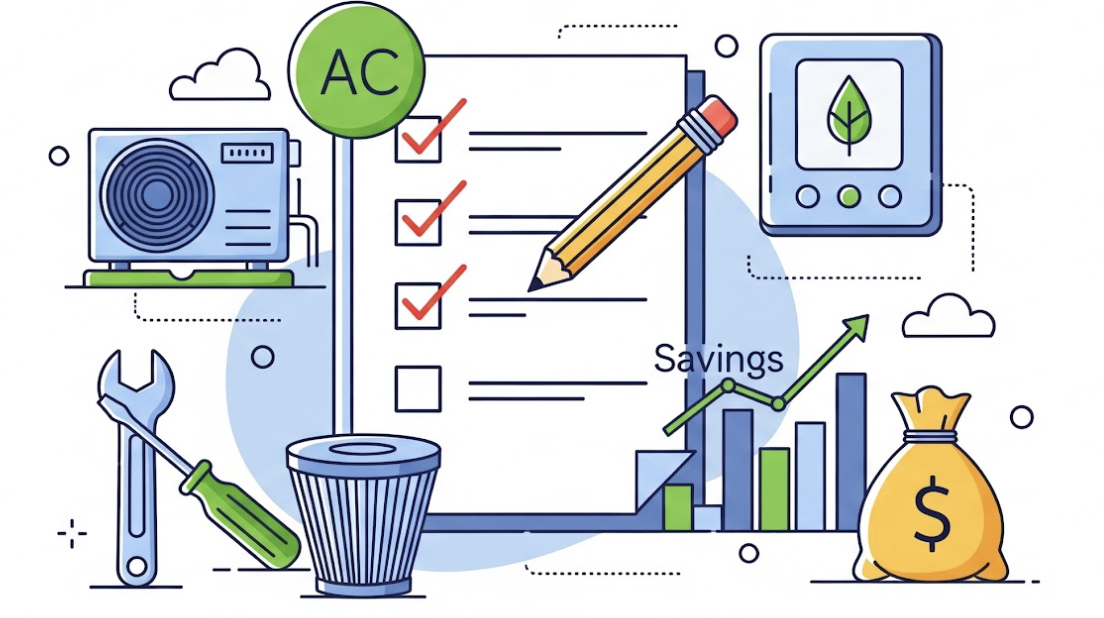
Just like a car needs regular oil changes, your AC system benefits immensely from routine check-ups. A comprehensive maintenance checklist can keep your system running at peak efficiency and help catch minor issues before they become major headaches. This is about protecting your investment and ensuring your home operates efficiently.
Actionable Steps:
Monthly Filter Checks: Inspect and replace or clean your air filter every 1-3 months.
Seasonal Coil Cleaning: At the start of the cooling season, clean your outdoor condenser coils.
Clear Condensate Drain Line: Periodically flush your condensate drain line with distilled vinegar.
Inspect Ductwork: Look for any obvious leaks or disconnections in your visible ductwork.
Professional Tune-Up: Schedule an annual professional tune-up. This is the most effective preventative measure.
Optimizing Your Thermostat Settings: Beyond Just Temperature
Your thermostat does more than just control the temperature; it manages your comfort and energy consumption. Smart usage can lead to significant savings. Understanding its full capabilities is a key part of an efficient cooling strategy.
Insights and Tips:
Set and Forget: Resist the urge to constantly adjust the thermostat. Find a comfortable temperature (e.g., 78°F / 25°C when home) and stick to it.
Use Programmable Features: Program your thermostat to raise the temperature when you're away or asleep.
Fan "Auto" vs. "On": Keep your fan setting on "Auto" to ensure it only runs when cooling is needed.
Avoid Extreme Drops: Don't set your thermostat to a very low temperature thinking it will cool faster.
When to Call the Pros: Recognizing the Limits of DIY
While many common AC issues have straightforward DIY fixes, there are definite boundaries for safety and technical expertise. Knowing when to call a professional can save you from costly mistakes, injury, and further damage to your system. Trying to fix something beyond your skill level often leads to more expensive repairs.
Expert-Level Explanation and Guidance:
Refrigerant Issues: Any problems related to refrigerant leaks or low refrigerant levels should always be handled by a certified technician.
Electrical Components: Delving into the internal wiring, contactors, or capacitors carries risks of electrical shock. Always defer to professionals.
Strange Noises or Smells: Grinding, screeching, or burning odors often indicate serious mechanical failures that require expert diagnosis.
Persistent Problems: If basic troubleshooting doesn't work, it's time for a professional.
Frequently Asked Questions About AC Not Cooling
We've gathered some of the most common questions people ask when their AC isn't cooling effectively. These insights help clarify persistent doubts and provide quick, actionable answers.
1. Why is my AC blowing air, but it's not cold?
This is a classic sign that the system's core cooling function isn't working. Common culprits include a dirty air filter, a refrigerant leak, a failing capacitor, or frozen evaporator coils. Start by checking your filter and thermostat. If these simple checks don't resolve it, a professional might be needed for a refrigerant leak or electrical component issue.
2. How often should I clean or replace my AC filter?
Generally, air filters should be checked monthly and replaced every 1-3 months. This can vary based on pets, allergies, dusty environments, or continuous AC usage. If you can't see light through the filter, it's definitely time for a change. Regular filter replacement is one of the easiest ways to maintain AC efficiency.
3. Is it normal for ice to form on my AC unit?
No, ice formation on your AC unit is never normal and is a clear indicator of a problem. It typically points to severely restricted airflow (often due to a dirty air filter or blocked vents) or a refrigerant leak. Both cause the evaporator coils to get too cold, freezing moisture. If you see ice, turn off your AC and let it thaw completely before troubleshooting or calling a technician.
4. My outdoor AC unit isn't running, but the indoor fan is. What's wrong?
When your indoor fan is circulating air but your outdoor condenser unit isn't running, it suggests a problem with the outdoor unit's power or control. Common causes include a tripped circuit breaker, a failing capacitor, or issues with the contactor switch. Check your electrical panel first. If the breaker is fine, this usually warrants a call to an HVAC professional.
5. Can I "recharge" my AC unit myself with a kit from a hardware store?
It's strongly advised against attempting to recharge your AC unit yourself with consumer kits. If your system is low on refrigerant, it means there's a leak, and simply adding more refrigerant without finding and repairing the leak is a waste of money and harmful. Refrigerant handling requires specialized tools and EPA certification, making this a job best left to certified HVAC technicians.
Final Thoughts: Empowering Your Comfort and Savings
Understanding why your AC isn't cooling and knowing the smart fixes isn't just about restoring comfort; it's about taking control of your home's efficiency and protecting your budget. From replacing a dirty air filter to recognizing the signs of a refrigerant leak, each piece of knowledge empowers you to make informed decisions. Many common problems have simple solutions you can tackle yourself, saving you hundreds on service calls. Embrace a proactive approach to AC maintenance, and you'll enjoy a consistently cool home, lower energy bills, and the peace of mind that comes with being a smart homeowner or business manager.